Correspondence
You can view incoming and outgoing correspondence for the last 2 years in the Correspondence view.
- Select More
 in the Tab bar at the bottom of the screen.
 - Select Correspondence
 from the Navigation menu.
 - All correspondence including DocMan 7 and 10 attachments display.
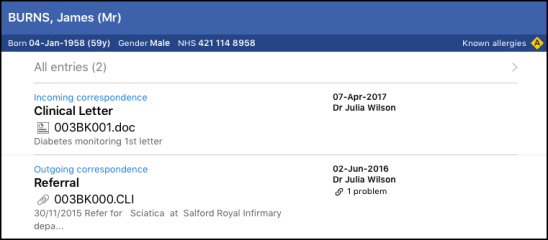
- Select an item to view more information.
- Select the letter to display.
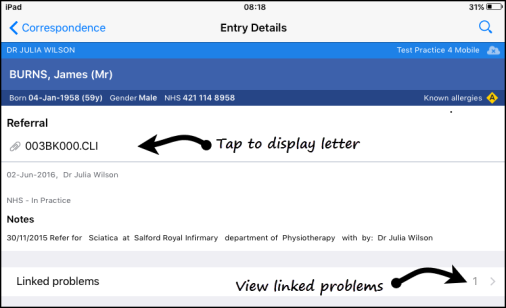
Note - An internet connection is needed to view correspondence. A file viewer must be installed on the device to open and display documents.
Note - Letters added via the Vision 3 Text Editor in Vision 3 cannot be viewed from Vision Anywhere.
See Problem Linkage for further details.

